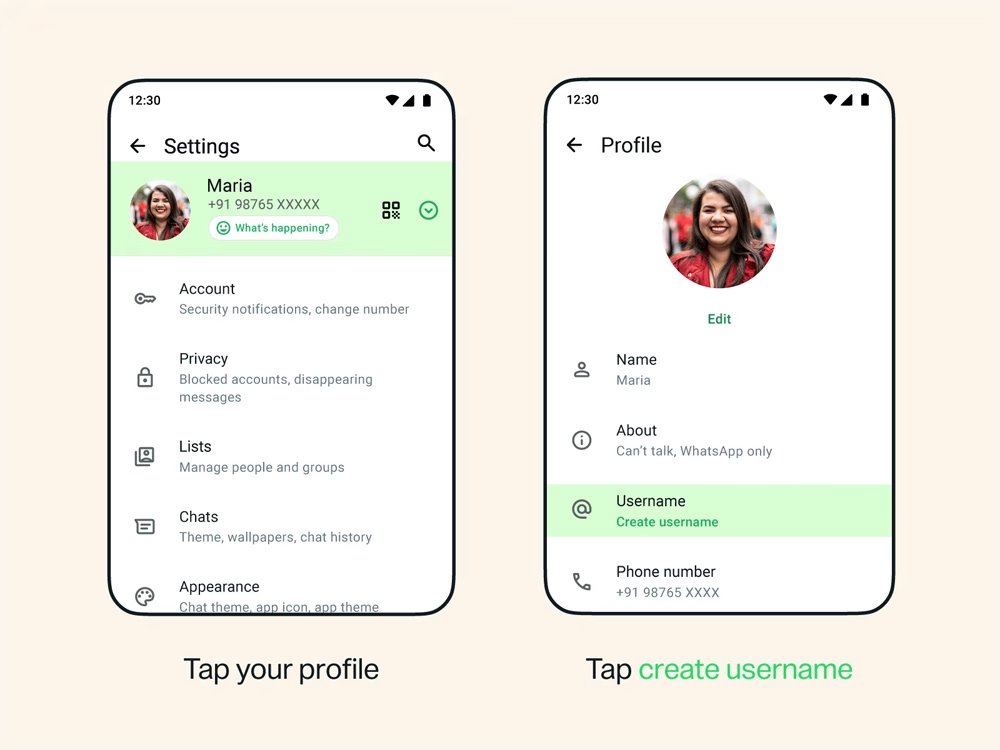
WhatsApp has started rolling out username reservations globally, allowing users to claim a unique handle ahead of the feature’s full launch later this year. The reservation window is meant to prevent duplicate names across its base of over three billion users.
Usernames will let people message each other without sharing a phone number. Users can reserve a username from Settings > Account > Username on the latest version of the app, available on both iOS and Android. A username must be between three and 35 characters, must start with a letter, cannot begin with “www.” or end in a domain extension, and cannot contain two consecutive periods.
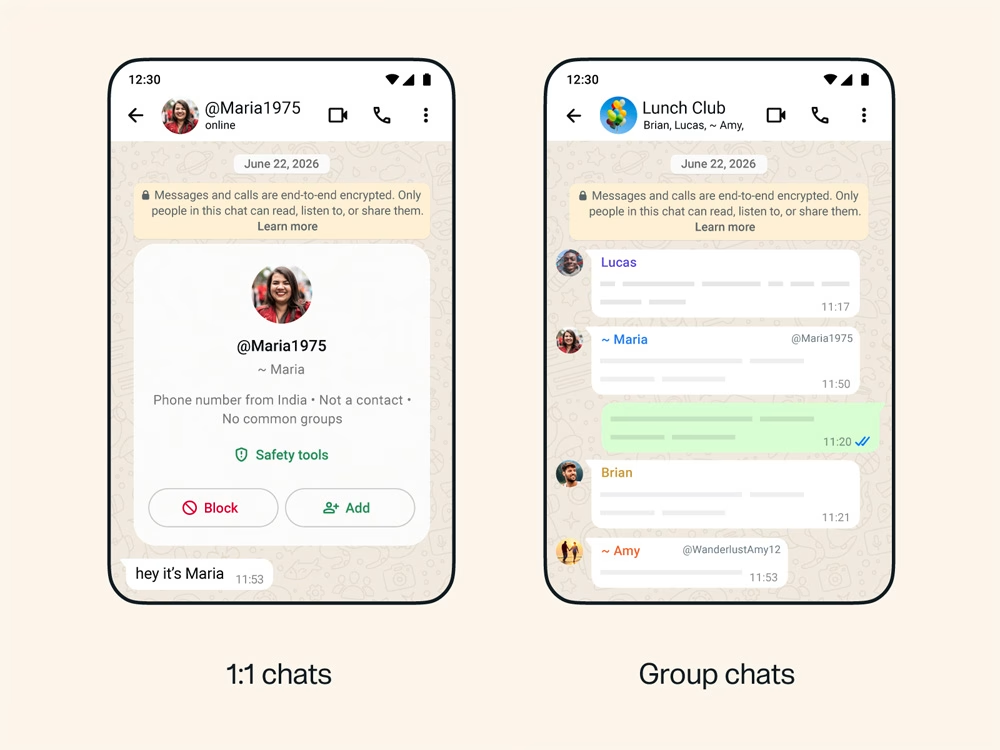
There is no directory or search function for usernames. A person must know the exact username to contact someone for the first time. WhatsApp is also offering an optional username “key,” a numeric code during the reservation phase that will move to an alphanumeric format at full launch, giving users an extra layer of control over who can reach them.
Creators, small businesses, and organizations can claim a username that matches their existing Instagram or Facebook handle by linking their WhatsApp account
A phone number will still be required to sign up for WhatsApp. Reservations are rolling out in phases, with users notified in the app once the option becomes available.
How to reserve your WhatsApp username
- Update WhatsApp to the latest version on iOS or Android
- Open Settings
- Tap Account
- Tap Username
- Enter a username (3–35 characters, must start with a letter) or use the in-app generator for suggestions.
- Confirm if it’s available — if taken, you’ll be prompted to choose another.
- Optional: set a username key (a four-digit code during the reservation period) so only people who know both your username and key can message you.
- Creators and businesses: to claim an existing Instagram or Facebook handle, link the WhatsApp account through Meta’s Accounts Center first.



Leave a Reply