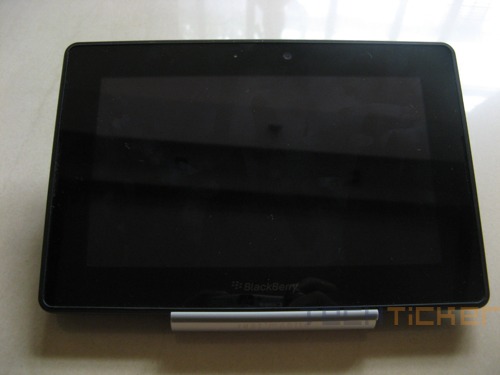
Tablets PCs although not new, have got a new lease of life with the advent of iPad. The form factor that was near dead was reinvigorated by Apple’s iPad and here we are today, flooded with number of alternatives that tout to be the next ‘iPad killer’. Amongst the count is RIM’s BlackBerry PlayBook as well. But does it manage to kill? Well, read on to know.
Design and Construction:
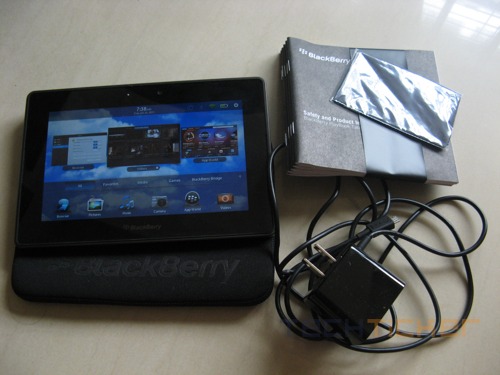
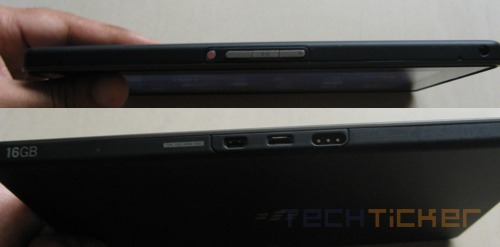
Since RIM’s PlayBook is targeted at business users, the company has adopted a very simple design. It seems like a big rectangular block, which in comparison with other tablets is not that attractive. Nevertheless, PlayBook is a well-thought out tablet with a front camera and rear camera and a large bezel. At the top, you’ll find the volume buttons, 3.5mm audio jack and a very small power button. Bottom side, features the port for data transfer and charging. Overall, the 700g tablet has a good sturdy feeling to it.
Software:
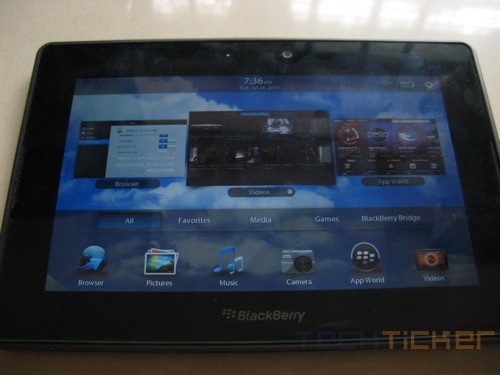
PlayBook is the first device to run on RIM’s QNX OS. Mind you, QNX operating system is totally different than the BlackBerry OS that breeds the current range of smartphones but has a similar look and feel, so a consumer will feel at home. The initial menu reveals few items from the tablet’s app list but a click or an upward swipe on the PlayBook will reveal the full list. Unlike most tablets, PlayBook misses a physical Home button so all the interactions on the PlayBook are done with the help of bezel. The large bezel helps to execute a number of actions, which is really unique in todays tablet PCs. Swipe it down and it wakes the device from standby; a swipe from the side of the bezel switches app; an upward swipe will minimize the app to reveal the menu and more. All in all, bezel interactions do enhance PlayBook’s functionality. Check out our small video shot at CES that shows some of the bezel interactions.
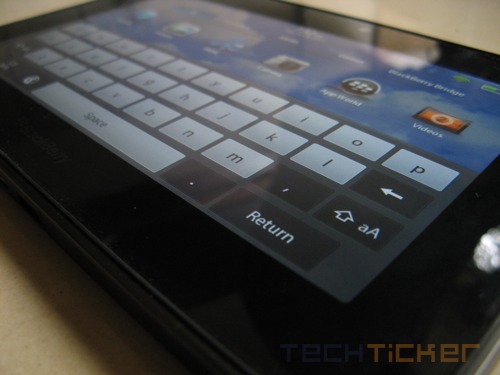
One of the biggest advantages of using a BlackBerry device is that you get the suite of excellent BlackBerry services out of the box but in the case of PlayBook, all the services like email, BlackBerry Messenger are tied to your BlackBerry phone. To enable it, a user must use BlackBerry Bridge, which allows syncing BlackBerry phone with the PlayBook over a secure Bluetooth connection. Once done, a user can access all his BlackBerry emails, Contacts, Messages and BBM messages on the PlayBook. The overall procedure takes a few minutes and though Bridge syncs in real time, the battery drain on the BlackBerry phone is evident. However, this does not mean you cannot access your emails at all. You just have to do the conventional way by pointing the web browser to your email service provider.
Speaking of the web browser, the built-in browser is a good one. The Webkit-based browser enables quicker page loads and since PlayBook touts Adobe Flash 10.1 support, the browser handles flash-based content pretty well.
Performance:
Heart of the PlayBook is a 1GHz dual-core processor with a gigabyte of RAM and we are happy to report that it fares well. The tablet is really good at handling multiple tasks at once. We opened PlayBook-optimized Need for Speed, web browser with multiple tabs, an HD video and the tablet showed no signs of lag.
Multimedia support is decent as well however, if you’re planning to watch HD movies, especially with an .MKV extension, you might have to toil a bit more by going through the conversion process. Otherwise, PlayBook supports video formats like AVI, MP4, 3GP, MOV, MPEG-4, WMV and MP3, WAV, WMA, AAC on the audio front.
Camera:
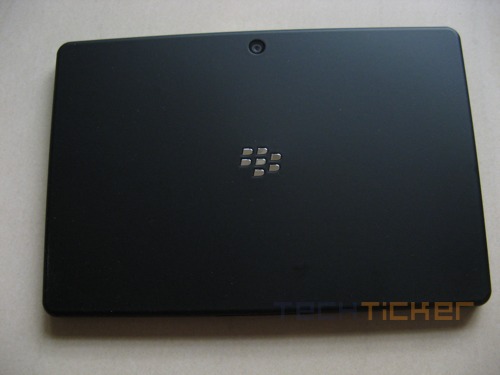
PlayBook is equipped with two cameras — 3MP on the front and 5MP at the back that are capable of recording full 1080p HD video. Both cameras fare well, provided you’re not trying to shoot from a close range and have decent amount of light. There’s no LED flash on the tablet and features a fixed focus lens, which means no macro shots.
Conclusion:
PlayBook is the first attempt from RIM and though it boasts excellent multi-tasking capability, it surely lacks a direct Blackberry email configuration support. Also a major gripe as of now with Blackberry is the number of Apps for the PlayBook. Hopefully once the next version of PlayBook is out, the version, that will probably have 3G connectivity, native Blackberry mail support and even support for Android apps, the PlayBook will look more attractive and can be labeled as value for money.
As of now, if you are a Blackberry fanboy/girl and want to have a tablet to complement your Blackberry phone, this one is for you. The retail price of Blackberry PlayBook 16GB is Rs.27,990.
Rating: 
Pros: Multi-tasking
Cons: No native BlackBerry email support



Leave a Reply